
Google Ads Tracking That Measures Real Leads.
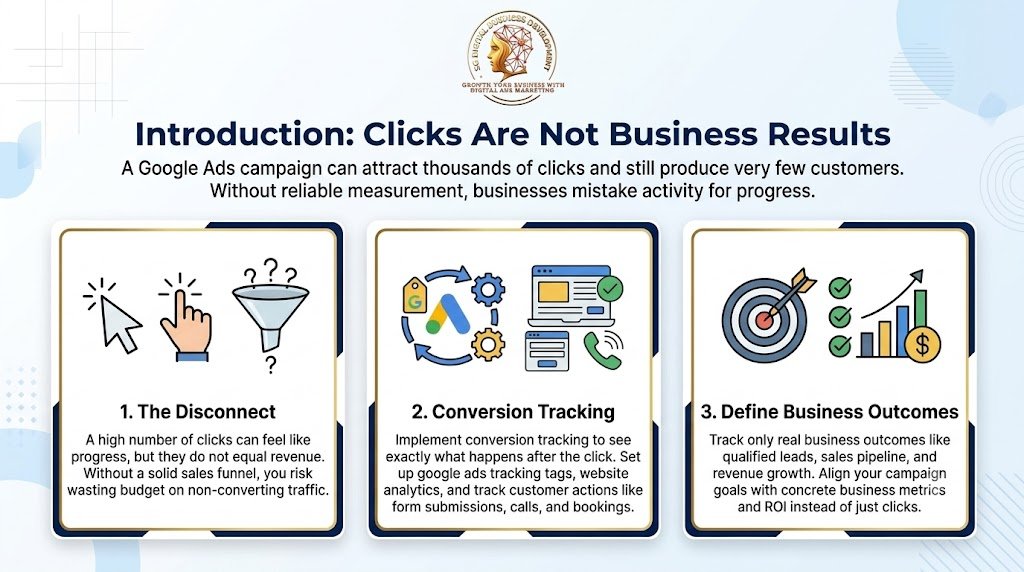
Introduction: Clicks Are Not Business Results
A Google Ads campaign can attract thousands of clicks and still produce very few customers.
The problem may not be the audience, the offer, or even the landing page. It may be that the business cannot see which actions actually create value. Without reliable measurement, a marketing team can mistake activity for progress, increase budgets on weak campaigns, and pause campaigns that quietly generate valuable enquiries.
Google Ads Conversion Tracking connects advertising interactions with meaningful actions on a website, app, phone call, or sales process. It helps a business understand whether a click leads to a form submission, qualified phone call, purchase, booking, or another outcome that matters.
A reliable Google Ads Conversion Tracking plan begins with a clearly defined business outcome. Review the conversion definition before trusting Google Ads Conversion Tracking results.
1. Start With the Business Outcome
Before opening an advertising account or tag manager, decide what the business wants to measure. A conversion should represent a valuable action, not simply an event that is easy to record. For an ecommerce company, the primary outcome may be a completed purchase. For a B2B service provider, it may be a qualified enquiry, booked consultation, or accepted sales opportunity. For a local company, it may be a meaningful phone call or appointment request. Write down the customer journey from first interaction to revenue. Identify the actions that indicate real intent and the systems where those actions happen. Google Ads Conversion Tracking should measure confirmed actions, not superficial activity.
2. Map the Full Conversion Journey
A conversion journey often crosses multiple pages, devices, channels, and teams. A buyer may discover a brand through a search advertisement, return later through organic search, and submit a form after reading a case study. A tracking plan should identify the important steps without pretending that one platform can explain every influence. Draw the journey as a simple sequence: ad interaction, landing page, meaningful engagement, enquiry, qualification, opportunity, and customer. Mark where each step occurs and which platform owns the data. Website actions may be recorded through Google tags or Google Tag Manager. CRM stages may live in a sales platform. Phone outcomes may be stored in call management software. Use Google Ads Conversion Tracking to connect campaign interactions with meaningful customer progress. Document each event so future teams understand Google Ads Conversion Tracking setup choices.
3. Choose the Right Primary Conversions
The most common measurement mistake is to make every interaction a primary conversion. Page views, button clicks, scroll depth, time on page, and downloads can all be useful diagnostic events. But if all of them are treated as equally valuable, automated bidding may pursue the actions that are easiest to generate rather than the actions that lead to business. Select a small set of outcomes that represent real commercial intent. An online shop might use a completed purchase as its main conversion. A professional services firm might use a successfully submitted contact form, a booked discovery call, or an imported qualified lead. Google Ads Conversion Tracking becomes useful when primary and secondary actions are clearly separated.
4. Audit the Existing Account Before Installing Anything
Many accounts already contain several tags, imported goals, legacy actions, or duplicate events. Adding another tracking setup without an audit can create double counting and confusing reports. Start by listing every conversion action, its source, status, category, optimisation setting, and recent activity. Check whether the website uses a Google tag, Google Tag Manager, an ecommerce integration, or a platform-specific plugin. Identify who controls each implementation and whether the account has more than one container or tag. Look for old thank-you-page rules, duplicate form listeners, multiple purchase events, and conversions imported from Analytics that overlap with native Ads actions. Review the naming convention. An audit helps ensure Google Ads Conversion Tracking does not count the same action twice. Compare website records with platform data when validating Google Ads Conversion Tracking.
5. Select an Implementation Method
There is no single installation method that suits every website. A direct Google tag implementation may be appropriate for a simple site with a developer available. Google Tag Manager can provide a more flexible environment for managing events and triggers. Ecommerce platforms may offer supported integrations that send transaction data automatically. A CRM or server-side setup may be needed for qualified leads and sales outcomes. Choose the method that fits the website architecture, technical skills, privacy requirements, and maintenance process. Avoid adding several overlapping systems just because each offers a convenient setup wizard. The goal is one understandable source of truth for each conversion action. Choose an implementation that keeps Google Ads Conversion Tracking understandable and maintainable.
6. Implement Website Form Tracking Carefully
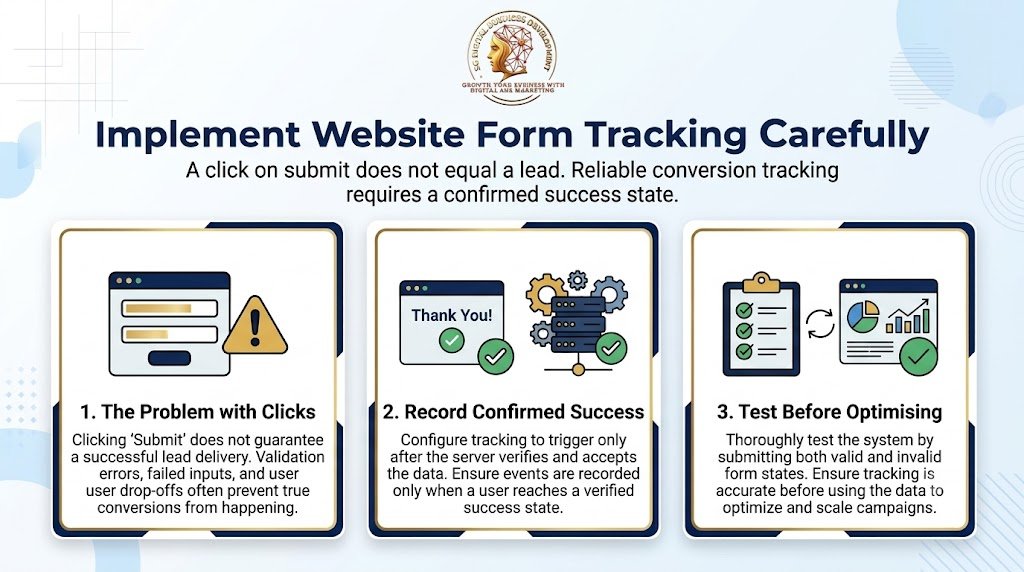
Form tracking sounds simple until a website uses AJAX submissions, embedded forms, multi-step forms, or validation messages. A click on the submit button does not prove that a lead was successfully received. The visitor may leave required fields blank, encounter an error, or lose connection before the submission completes. The strongest implementation records a confirmed success state. Depending on the form platform, this may be a dedicated thank-you page, a successful submission event, or a confirmation message triggered only after the server accepts the form. Coordinate with the developer or form provider to identify a reliable signal. Do not use a generic button click as a substitute for a successful submission. Test valid and invalid submissions. Test every form state before relying on Google Ads Conversion Tracking for lead reporting. Do not optimise campaigns until Google Ads Conversion Tracking has passed practical tests.
7. Measure Phone Calls and Offline Enquiries
Phone calls can be a major source of revenue for consultants, local services, healthcare providers, property businesses, and high-consideration purchases. If campaigns generate calls but the account only measures website forms, performance reports will be incomplete. Decide which calls count as meaningful enquiries and how call quality will be assessed. Depending on country availability and account setup, Google Ads offers call reporting and call conversion options. Website call measurement may use a forwarding number or another supported method. Business owners should review eligibility, privacy obligations, number display, and the effect on customer experience before enabling call measurement. Not every call is valuable. Include valuable calls so Google Ads Conversion Tracking reflects the real enquiry journey.
8. Configure Purchase Values Correctly
For ecommerce, revenue measurement is only useful when the value represents the actual transaction accurately. Check that the purchase event sends the correct currency, transaction ID, and order value. Decide whether shipping, tax, discounts, and refunds are included in the reported value, and apply the same definition across systems wherever possible. A unique transaction ID helps prevent duplicate purchase recording when a confirmation page is refreshed or revisited. Test multiple products, discount codes, different currencies, and payment outcomes. Confirm that failed or cancelled payments do not appear as completed purchases. If a payment provider redirects customers away from the website, verify that the return journey preserves the necessary measurement information. Accurate transaction values make Google Ads Conversion Tracking more useful for ecommerce decisions. Use CRM stages to add context to Google Ads Conversion Tracking lead reports.
9. Use Google Tag Manager With a Clear Structure
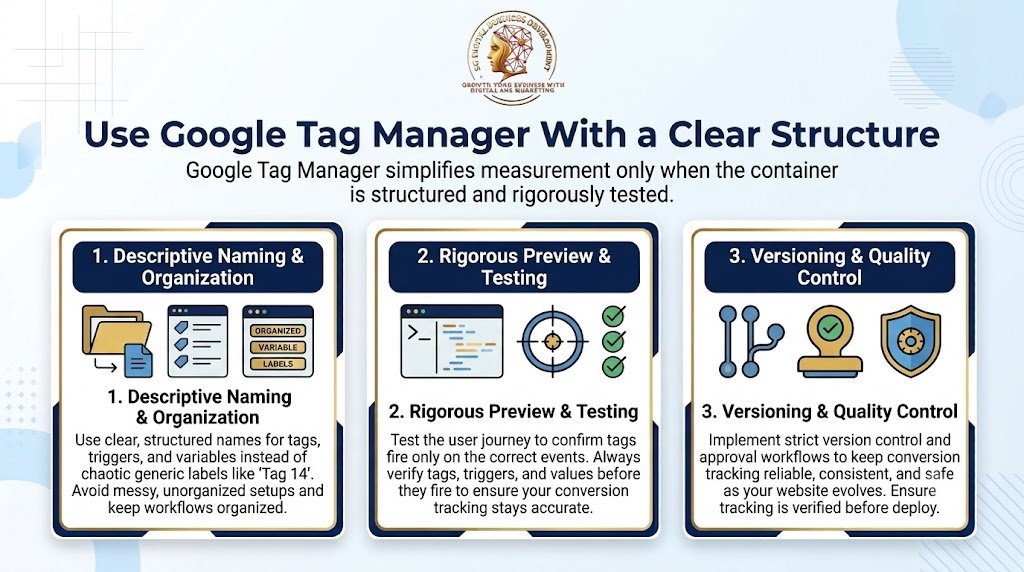
Google Tag Manager can make measurement easier to maintain, but only when the container is organised. Use descriptive names for tags, triggers, and variables. Group related assets logically and document what each item does. Avoid a container filled with names such as “Tag 14” or “Click Trigger New Final.”
Before publishing, use Preview mode to test the intended user journey. Confirm that the correct tag fires on the correct event and that it does not fire on unrelated pages. Check variables such as form ID, page path, transaction ID, currency, and value. A tag that fires at the wrong moment can produce plausible-looking but incorrect numbers. Use a versioning and approval process. Organised tags help keep Google Ads Conversion Tracking consistent as the website changes.
10. Respect Consent and Privacy
Measurement must operate within applicable privacy laws, consent requirements, and the expectations communicated to website visitors. The business should understand what data is collected, why it is collected, how it is shared, and how long it is retained. Work with qualified privacy or legal advisers when the business operates across jurisdictions or handles sensitive information. Configure the consent management platform and relevant Google consent settings according to the business’s legal obligations and implementation requirements. Test the behaviour before and after consent choices. Do not assume that installing a consent banner automatically makes every tag compliant. The tags, storage behaviour, data flows, and user choices must work together. Privacy controls should be considered whenever Google Ads Conversion Tracking collects or shares event data. Keep event names consistent throughout your Google Ads Conversion Tracking implementation.
11. Understand Attribution Without Overclaiming
A customer may interact with several advertisements and channels before converting. Attribution is the method used to assign credit across those interactions. Different models can tell different stories, and none should be mistaken for a complete record of human decision-making. Review the attribution settings available for each conversion action and understand the reporting windows. Consider the length of the sales cycle. A low-cost purchase may happen immediately, while a B2B contract may take weeks or months and involve several stakeholders. A short conversion window can miss outcomes that happen later. Google Ads Conversion Tracking provides useful platform-level evidence, but it should be compared with CRM, analytics, and revenue data. Attribution settings influence how Google Ads Conversion Tracking assigns credit across interactions.
12. Connect Leads to CRM Quality
A form submission is an early signal, not proof that the business has acquired a valuable customer. Lead quality depends on fit, need, budget, timing, authority, and the ability to serve the prospect. A CRM can help connect marketing activity to these later stages. Capture campaign identifiers and relevant source details when a lead enters the CRM. Keep fields consistent and prevent sales teams from overwriting original source information. Define lead stages clearly, for example: new enquiry, contacted, qualified, opportunity, proposal, won, and lost. Make sure each stage has an agreed entry condition. Where the platform and consent framework support it, import qualified lead or sale outcomes into Google Ads. CRM feedback can make Google Ads Conversion Tracking more closely reflect lead quality. Check consent behaviour as part of Google Ads Conversion Tracking quality assurance.
13. Test Before Launching and After Every Change
Never assume that a tag works because it appears in the page source or because a platform shows a green status indicator. Test the complete user journey from advertisement or test landing page through to the final conversion event. Use available tag debugging tools, browser developer tools, and platform diagnostics to confirm what happens. Create a test matrix covering desktop, mobile, major browsers, valid forms, invalid forms, successful payments, failed payments, and consent choices. For each test, record the expected event, actual event, and result. Include screenshots or logs where they help another team member reproduce the issue. Repeat testing protects Google Ads Conversion Tracking after technical or design releases.
14. Diagnose Duplicate and Missing Conversions
Duplicate conversions can make campaigns appear more successful than they are. Common causes include two tags firing for the same action, both a native Ads action and an imported Analytics event counting the same event, a confirmation page firing repeatedly, or a purchase event being sent by both the website and a plugin. Missing conversions can result from a broken trigger, a changed page URL, a form that no longer exposes the expected success signal, consent settings, ad blockers, browser restrictions, or a misconfigured account. Not every missing platform conversion means the business did not receive a lead. Compare platform reports with the form database, CRM, and order system. Investigate unexpected trends before changing Google Ads Conversion Tracking settings or campaign budgets. Measure outcomes that matter to customers and the business with Google Ads Conversion Tracking.
15. Build a Reporting View That Leads to Decisions
A useful report answers business questions. It should show spend, clicks, conversion actions, conversion rate, cost per conversion, conversion value, and return metrics where reliable. For lead generation, add qualified lead rate, cost per qualified lead, opportunity rate, and revenue outcomes when data is available. Separate primary outcomes from secondary engagement events. Use clear labels and explain the reporting period, attribution settings, and any known data limitations. Compare like with like: similar campaign types, conversion definitions, time windows, and markets. Avoid combining different goals into one total if they have very different commercial values. Google Ads Conversion Tracking data should support decisions such as which search terms deserve more investment, which landing pages need improvement, whether a campaign is attracting the right audience, and where sales follow-up is weak. Clear reporting turns Google Ads Conversion Tracking data into practical marketing decisions.
16. Calculate the Metrics That Matter
Cost per conversion is useful only when the conversion definition is meaningful. If a campaign records low-value actions, a cheap cost per conversion may hide poor business performance. For lead generation, calculate cost per qualified lead by dividing campaign cost by the number of leads that meet the agreed qualification standard. For sales, compare acquisition cost with contribution margin or customer lifetime value where the data is sufficiently reliable. Conversion rate should be interpreted alongside traffic quality and landing-page intent. A page can have a high conversion rate because it attracts a narrow audience, but the resulting leads may be poor. Another page may convert fewer visitors while producing more qualified opportunities. Use commercially meaningful values when Google Ads Conversion Tracking informs bidding and budget choices. Keep a change log for every Google Ads Conversion Tracking update.
17. Common Mistakes That Damage Measurement
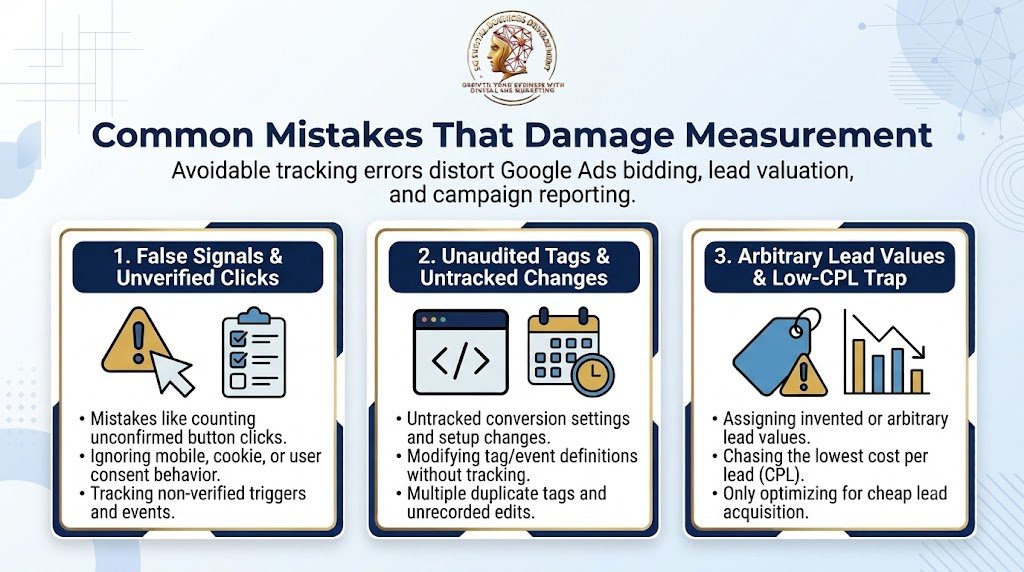
One mistake is counting button clicks instead of confirmed outcomes. Another is treating every form as equally valuable. Some teams install multiple tags without auditing existing actions, while others forget to test mobile journeys or consent behaviour. Each of these errors can distort bidding and reporting. A further problem is changing conversion settings without recording the date. Historical comparisons then become difficult because the meaning of the metric has changed. Businesses also sometimes assign invented values to leads without checking whether those values reflect actual sales outcomes. Such estimates can be useful as temporary assumptions, but they must be labelled and reviewed. Do not optimise solely for the lowest cost per lead. Many avoidable errors can undermine Google Ads Conversion Tracking and distort performance reports.
18. A Practical 30-Day Implementation Roadmap
During week one, define business outcomes and audit the existing account. List current conversion actions, website tags, forms, phone sources, CRM stages, and reporting gaps. Agree on primary and secondary actions with sales and marketing. Document the naming convention and decide who approves changes. During week two, implement the highest-priority website actions. Start with one or two meaningful outcomes rather than attempting to measure everything at once. Configure tags or integrations, set values where justified, and document the source of each event. Coordinate with the website owner and privacy lead. During week three, test the complete journey. Validate successful and unsuccessful forms, mobile behaviour, consent choices, duplicate prevention, and data quality. A staged roadmap gives teams time to validate Google Ads Conversion Tracking properly. Make Google Ads Conversion Tracking part of the regular performance review.
19. Internal Ownership and Team Communication
Tracking quality is not only a marketing responsibility. The website team controls forms and scripts, the sales team controls lead qualification, operations may manage phone systems, and finance validates revenue. Assign a named owner who coordinates the whole process and maintains the measurement brief. Create a simple change request for website updates that may affect conversion events. The request should state the page or feature being changed, the expected tracking impact, the person responsible for testing, and the date of release. Keep access permissions appropriate and remove access when suppliers or employees no longer need it. Use shared definitions. Marketing, sales, and leadership should agree on what counts as an enquiry, qualified lead, opportunity, and customer. Assign an owner to keep Google Ads Conversion Tracking reliable across departments.
20. FAQs
What does Google Ads Conversion Tracking measure? It measures valuable actions that happen after an advertising interaction, such as purchases, successful form submissions, calls, bookings, or imported offline outcomes. The business chooses the actions that match its objectives.
Is a button click a conversion? It can be recorded as an event, but it should not automatically be treated as a primary conversion. A click does not prove that a form was accepted or a purchase completed. Measure the confirmed outcome whenever possible.
Do I need Google Tag Manager? Not always. A direct tag, supported platform integration, or another implementation may be suitable. These answers cover common questions about Google Ads Conversion Tracking implementation and reporting.
Conclusion: Make Every Campaign Accountable
Advertising performance should be judged by the business outcomes it helps create, not by clicks alone. A dependable measurement system connects campaign activity with enquiries, qualified opportunities, purchases, and revenue. It also makes it easier to identify broken forms, weak landing pages, poor lead quality, and wasted spend. Google Ads Conversion Tracking works best when the business starts with clear definitions, chooses meaningful primary actions, implements events carefully, respects consent, tests every important journey, and connects digital leads with sales outcomes. The system should be reviewed whenever the website or customer journey changes. At SG Digital Business Development, measurement is part of a wider growth process that connects search visibility, paid advertising, website experience, lead qualification, and business development.
Keep the Process Maintainable
Track conversion actions, owners, test dates, evidence, unresolved issues, and review them monthly together.
Related SG Digital Guides
For lead quality and campaign outcomes, read our AI-Powered Google Ads Campaigns and AI Demand Generation Strategy guide.
Let’s build your digital future together. Contact SG Digital Business Development today and let’s engineer your global authority!